WEEK 03 · 2026-01-26 ~ 2026-02-01
First prototype, first wall
Built the first working prototype as a Three.js web app. It ran but the three pillars hit three different walls in the same week, and all three walls came from the same place.
Last week I defined the three pillars and confirmed that each one had at least one realistic way to be built. That was enough to close Week 2 on a plan. This week the plan had to meet reality. Talking about audio visualisation, virtual tourism, and embodiment interaction is one thing. Getting all three to run inside the same application is another.
I started with the stack I already knew. WebGL through Three.js for the visuals, plain JavaScript for the application logic, and the web version of MediaPipe for hand tracking. This combination had two advantages. I already had some experience with each part, and everything runs inside the browser so there is no deployment or installation friction for the early testing. Fast iteration was what I needed this week, not the final tool.
BUILDING THE WEB PROTOTYPE
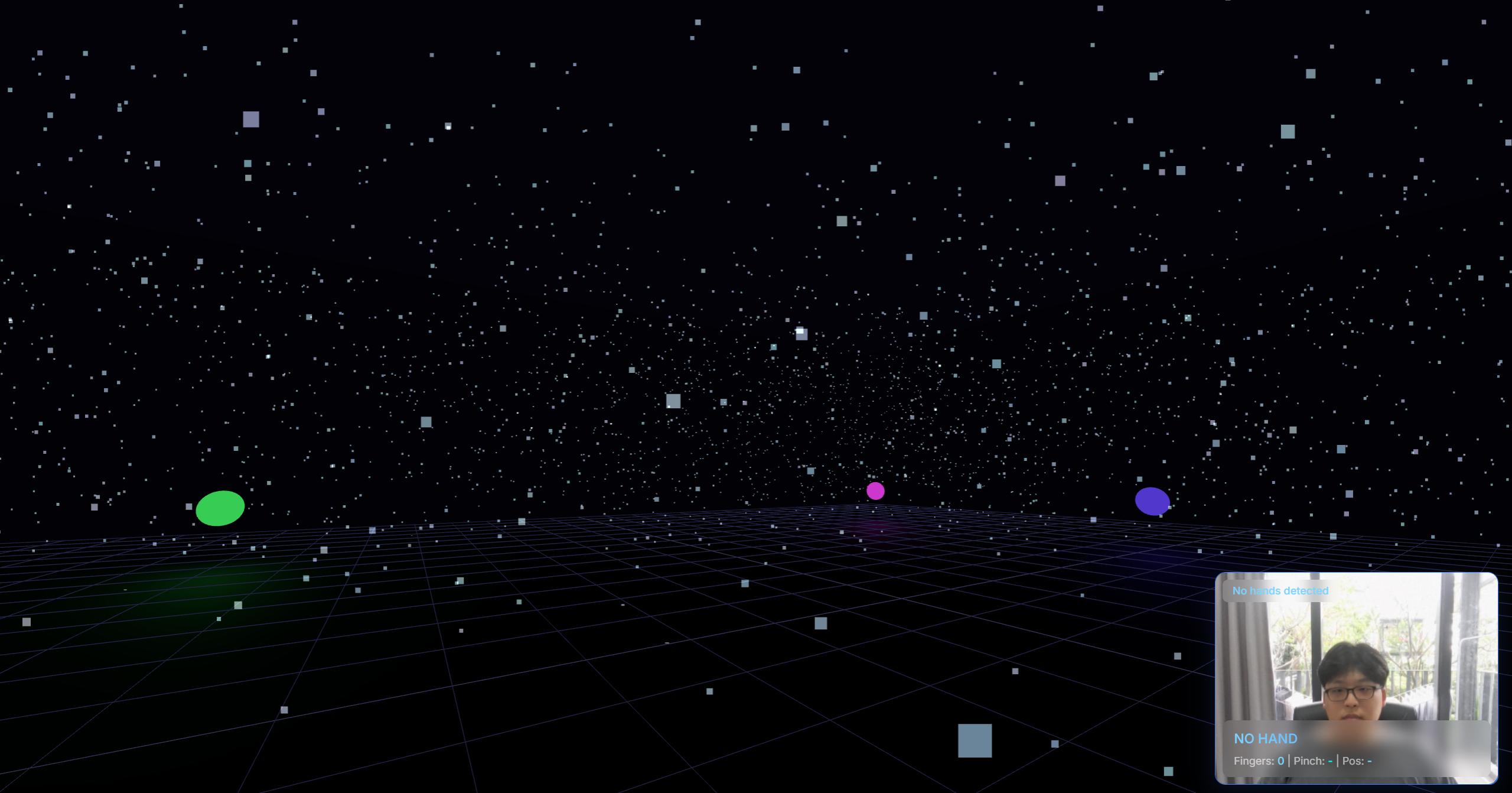
The first version came together faster than I expected. Three.js handles a lot of the scene setup out of the box. A camera, a renderer, a particle system. Within a couple of days I had a browser window where particles responded to an audio file playing in the background, and the webcam was tracking my hand with MediaPipe. The three pillars were technically running inside a single application for the first time.
On the surface this was a success. A visitor could open the page, pick a district, see a 3D scene, hear a soundscape, and wave at the webcam to see a response on screen. Every pillar was alive. If I had stopped here and written a report saying “the concept works,” it would have looked convincing.
The problem was that I was the one using it, so I knew what was actually happening.
THREE WALLS
When I tried to push the prototype harder, three separate problems showed up. They did not come from the same area of the application, but they surfaced within days of each other and each one pointed to the same underlying issue. I will describe them one at a time.
-
Hand tracking latency
MediaPipe’s web version has a visible delay between the physical hand movement and the on-screen response. It is not broken. It works. But there is a gap of roughly half a second between my hand reaching forward and the particles reacting. For many applications that would be acceptable. For this project it is not.
The reason is that embodiment interaction is one of the three pillars. The whole point of the third pillar is that the visitor feels like their body is inside the space, not like they are operating a remote control from outside. When the hand moves and the screen catches up half a second later, the feeling of reaching into the visualisation dies. It becomes a command-and-response interaction, which is exactly what I did not want.
Bain was writing about the gap between audio and visuals, but the same logic applies to the gap between the body and the visuals. Real-time response is not a feature you add at the end. It is the condition that makes the experience work at all.
-
Rendering performance
The second wall showed up as soon as I tried to increase particle count. A few thousand particles run fine in the browser. Thirty thousand drops the frame rate into single digits. The visual quality I had in mind needs far more than thirty thousand.
The cause is structural. Browsers restrict how directly a page can talk to the GPU, which means a lot of the particle simulation ends up running in JavaScript on the CPU. JavaScript is single-threaded. A large particle simulation running every frame on a single thread is a bottleneck that no amount of code optimisation can fix.
I tried the usual things. Reduced the per-particle work. Pooled allocations. Moved what I could into shaders. The improvements were small. The ceiling was the environment, not the code.
-
Visual quality ceiling
The third wall was about what the rendering environment itself could do. WebGL 1.0, which is what most browsers run for broad compatibility, does not support compute shaders. It has limited texture formats and limited options for advanced post-processing. Everything I had read about the kind of particle atmosphere I wanted, with volumetric glow and layered transparency and custom compute passes, assumed a more capable rendering API.
I could have worked around this for a while. Stylised visuals that do not depend on those features would still have been possible. But I knew from the first two walls that the browser was already limiting me in other ways, so working around the third one felt like pushing harder on a door that was already closing.
THE CONCLUSION
By the end of the week it was clear that the web direction had served its purpose. It proved that the three pillars could run together inside one application, which was the Week 2 question. It also proved that a browser-based implementation could not carry those pillars at the quality the project needs.
The failure was productive. Going into the week I had a preference for Python and native tooling, but no hard reason to commit to it. After the week, I had three concrete reasons, and each one was observable in the running prototype instead of being a prediction. Frayling’s research-through-design framing fits what happened here. The knowledge about the platform did not come from reading about tools. It came from trying one and watching it fail in specific, readable ways.
The next week would be the migration.
FINAL RESULT · END-OF-WEEK STATE